What Is Population Selection in Banner?
Population selection builds lists of people from Banner data using rules on GLRSLCT and the GLBDATA process. How it works and how to use it with jobs and letters.

What is population selection in Banner?
Population selection is Banner's built-in way to create a list of people (such as all students with a balance over a threshold) for use by letters, batch jobs and other processes. Rules are written on GLRSLCT, the GLBDATA process runs them to extract the list, the result can be reviewed or edited on GLAEXTR or GLIEXTR, and other jobs then use the population by its application, selection ID and creator ID.
Overview
Population selection answers "who should this job run for?" without writing a custom program.
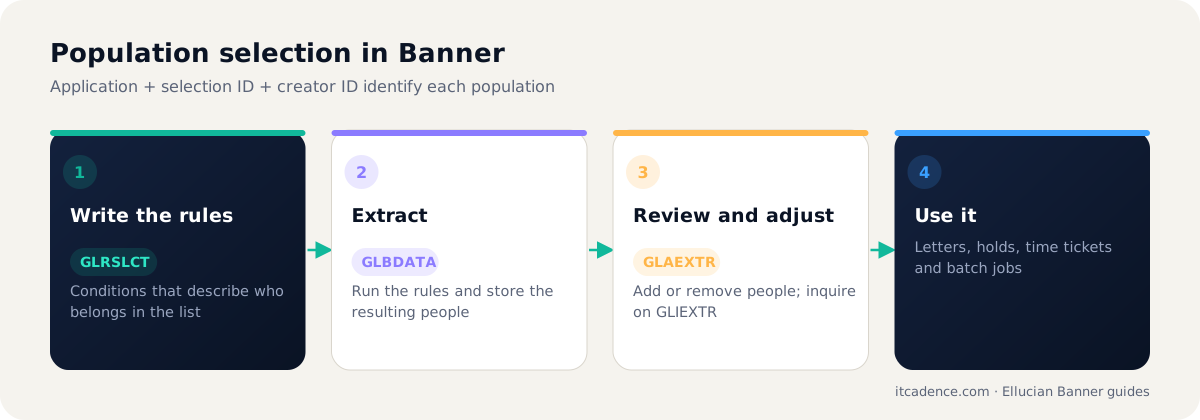
The main pieces
| Page / process | Role |
|---|---|
GLRSLCT | Define the selection rules (SQL-like conditions on Banner data) |
GLBDATA | Run the rules and extract the population |
GLAEXTR | Review and manually adjust the extracted list |
GLIEXTR | Inquiry on populations |
Where populations are used
- Letter generation and communications
- Holds applied in bulk
- Registration time ticket assignment. See how time tickets work
- Batch jobs that accept a population as a parameter
Good practices
- Use a naming convention for selection IDs that shows owner and purpose.
- Test rules with a small known group before running them across the institution.
- Keep rules documented: what the population is meant to include and exclude.
- Clean up old populations so users pick the right one.
Frequently asked questions
Three values together: the application, the selection identifier and the creator ID.
Yes. GLAEXTR lets authorised users add or remove people from an extracted population.
Institutions commonly load IDs into a population from a file or query when the rules engine is not the best fit.
Last reviewed by the ITCadence Banner team. Ellucian product capabilities vary by version and licence; confirm details against current Ellucian documentation.